本文主要和大家介绍微信小程序视图template模板引用的实例详解的相关资料,希望通过本文能帮助到大家,需要的朋友可以参考下,希望能帮助到大家。
微信小程序视图template模板引用的实例详解
WXML 提供两种文件引用方式import和include。
include可以将目标文件除了的整个代码引入,相当于是拷贝到include位置
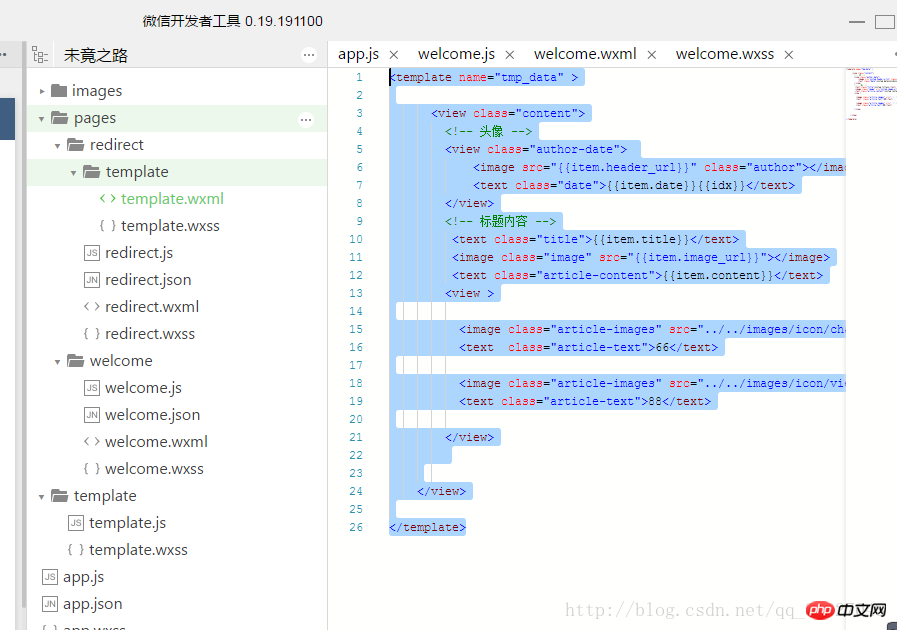
temlate.wxml
<template>

   <view>
    <!-- 头像 -->
    <view>
      <image></image>
      <text>{{item.date}}{{idx}}</text>
    </view>
    <!-- 标题内容 -->
     <text>{{item.title}}</text>
     <image></image>
     <text>{{item.content}}</text>
    <view>

     <image></image>
     <text>66</text>

     <image></image>
     <text>88</text>

    </view>


  </view></template>
登录后复制
redirect.wxml引用
<import></import>
登录后复制
template.js
var content_for = [
 {
  date: "2020年 10月 9日 ",
  title: "那年夏天",
  header_url: "/images/3.png",
  image_url: "/images/6.jpg",
  content: "天不言自高,地不言自厚,奇迹,是不会在容易的道路上绽放的。人生没有如果,只有后果和结果,过去的不再回来,回来的不再完美。",
 },
 {
  date: "2022年 10月 9日 ",
  title: "夏天",
  header_url: "/images/3.png",
  image_url: "/images/8.jpg",
  content: "人生没有如果,只有后果和结果,过去的不再回来,回来的不再完美。",
 },

]
//输出出口
module.exports={
 templates: content_for
}
登录后复制
redirect.js引用
var content_data=require('../../template/template.js')
// pages/redirect/redirect.js
Page({

 /**
  * 页面的初始数据
  */
 data: {

 },

 /**
  * 生命周期函数--监听页面加载
  */
 onLoad: function (options) {

   this.setData({
     key: content_data.templates
   });

 }

});
登录后复制
wxml
 <block>
     <!-- is就是模板名字name值 -->
     <template></template>
   </block>
登录后复制
template.wxss文件
.title{
 font-size: 34rpx;
 font-weight: 600;
 color:#333;
 margin-bottom: 20px;
}
登录后复制
redirect.wxss文件引用上面样式
@import "template/template.wxss" //使用import定义

swiper{
 width:100%;
 height:500rpx;
}
swiper image{
  width:100%;
 height:500rpx;
}
登录后复制
相关推荐:
以上就是微信小程序template模板引用实例详解的详细内容,更多请关注米云其它相关文章!