本篇文章给大家带来的内容是关于微信小程序中template模块的使用方法,有一定的参考价值,有需要的朋友可以参考一下,希望对你有所帮助。
WXML提供模板(template),可以在模板中定义代码片段,然后在不同的地方调用。
首先在pages目录下新建一个template目录用来存放模板
模板怎么建呢?
模板只需要新建xxx.wxss和xxx.wxml这两个文件就可以了,其他两个.js和.json不需要
在template目录中新建list-template.wxml和list-template.wxss
list-template.wxml:
<template><view>
  <view>
    <image></image>
    <text>may 9 2018</text>
  </view>
  <text>火影村</text>
  <image></image>
  <text>火火火火火火火火火火火火火火火火火火火火火火火火火火火火火火火火火火火火火火火火火火火火火火火火火火火火火火火火</text>
  <view>
    <image></image>
    <text>88</text>
    <image></image>
    <text>88</text>
  </view></view></template>
登录后复制
list-template.wxss:
.tmpContainer{
  display: flex;
  flex-direction: column;
  }
.avatar_date image{
  width: 60rpx;
  height: 60rpx;
/* 把此元素放置在父元素的中部。就可以让图片与文字都在中间了 */
  vertical-align: middle;
  margin-right: 10rpx;
  }
.avatar_date {
  padding: 10rpx;
  }
.avatar_date text{
  font-size: 32rpx;
  }
.company{
  margin-left: 10rpx;
  font-size: 36rpx;
  font-weight: 700;
  margin: 10rpx;
  }
.contentImg{
  width: 100%;
  height: 460rpx;
  }
.content{
  font-size: 32rpx;
  /* 段落首字母缩进两个字 */
  text-indent: 64rpx;
  }
.collection_love image{
  width: 32rpx;
  height: 32rpx;
  vertical-align: middle;
  margin-right: 10rpx;
  }
.collection_love text{
  font-size: 28rpx;
  margin-right: 10rpx;
  }
登录后复制
在list.wxml中引入模板:
<!-- 在头部引入,注意结尾别忘了/ -->
<import></import>
登录后复制
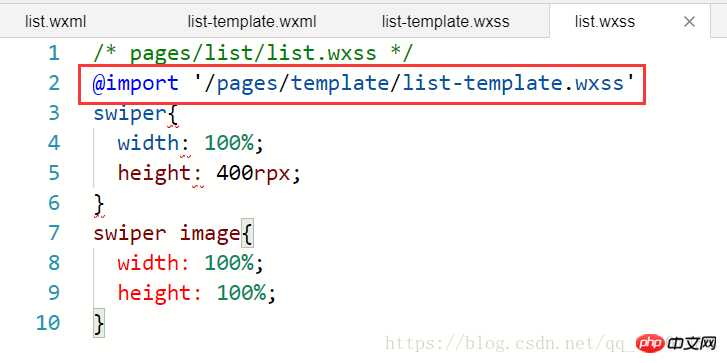
然后在你想用模板的地方引用 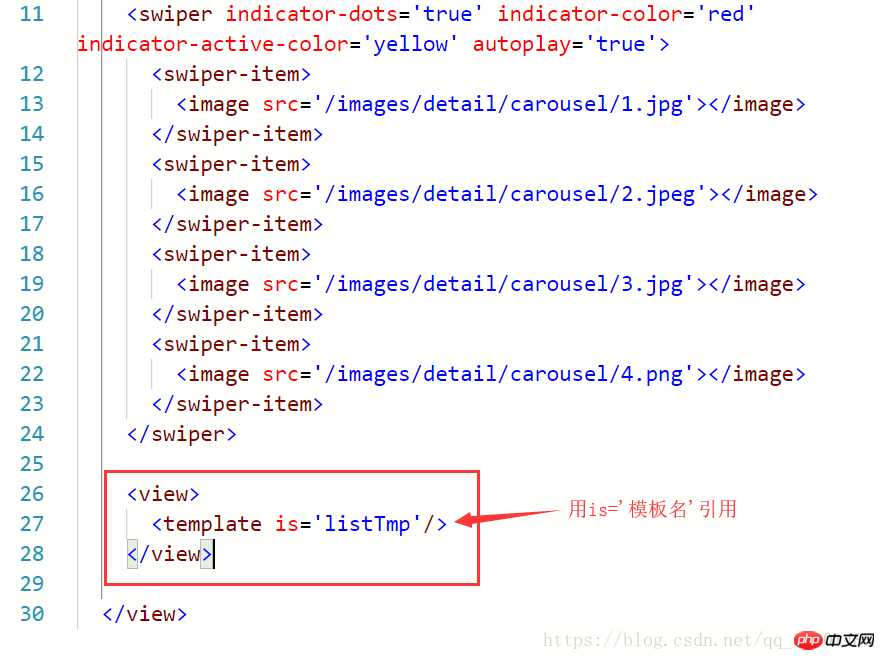 还要在list.wxss中像以下样子引入模板样式
相关推荐:
以上就是微信小程序中template模块的使用方法的详细内容,更多请关注米云其它相关文章!