在网上找到了这款插件,Quantity Discounts 可以根据顾客购买多少来打折,很不错。
假如顾客买了3个以上的产品,就给他10%折扣,设置如下:
Turn On Quantity Discount
1. In the Admin control panel, go to “Modules -> Order Total“.
2. Click on Quantity Discount and click Install.
3. In the below picture, note how we entered “3” for the “Discount Level 1” and “10” for the “Discount Amount 1“.

4. Click Update button.
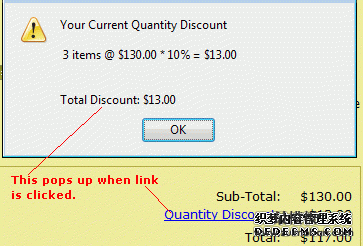
5. Now when customers order 3 or more items, they see…
To change or remove:
Simply go to “Modules -> Order Total“, click on Quantity Discount and click Edit or Remove