
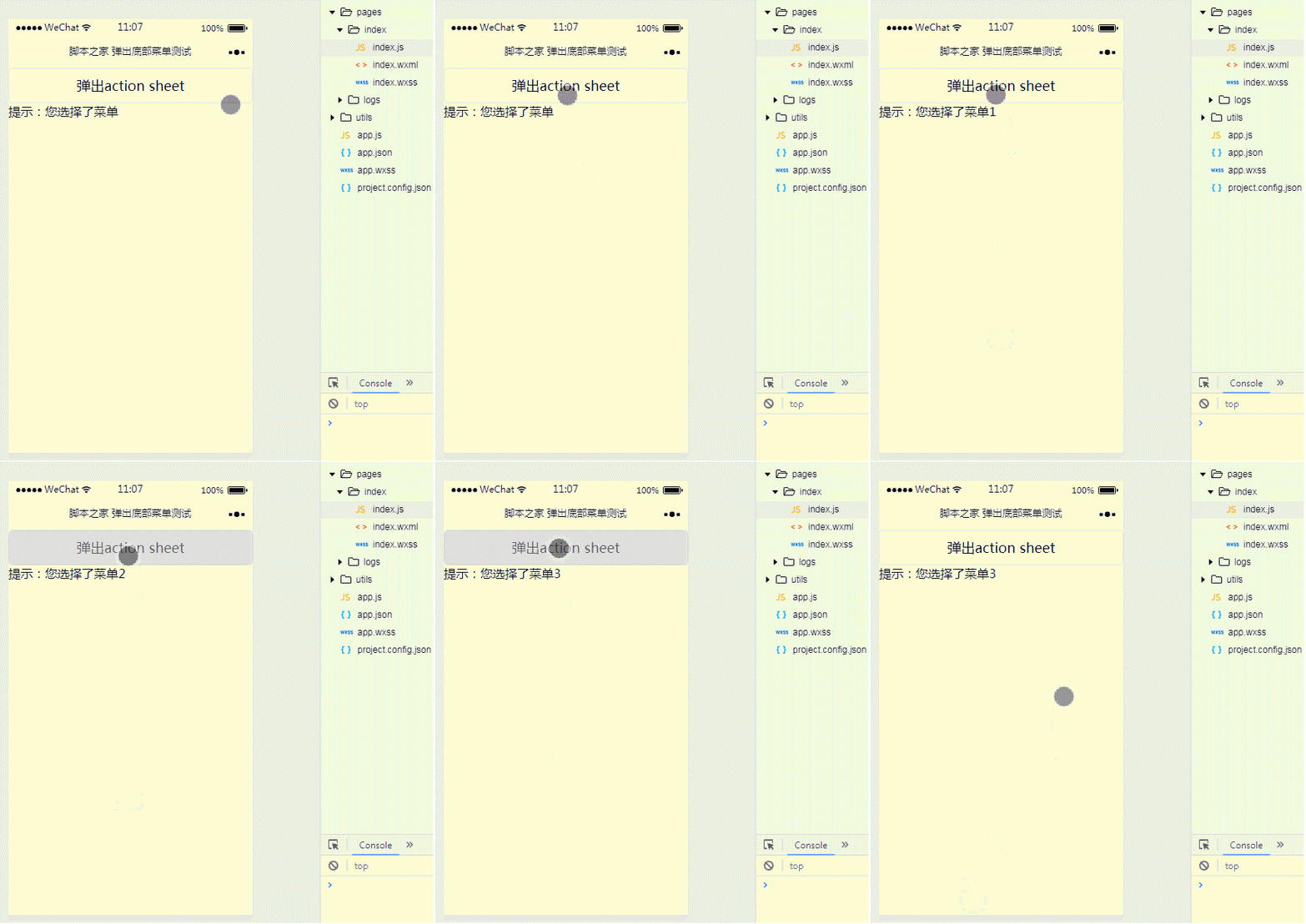
本文主要介绍了微信小程序实现action-sheet弹出底部菜单功能,结合实例形式分析了action-sheet组件弹出菜单的使用技巧,包括元素遍历、事件响应及属性设置等操作方法,希望能帮助到大家。
1、效果展示
2、关键代码
① index.wxml
<button>弹出action sheet</button>
<action-sheet>
  <block>
    <action-sheet-item>{{item.txt}}</action-sheet-item>
  </block>
  <action-sheet-cancel>取消</action-sheet-cancel></action-sheet><view>
  提示:您选择了菜单{{menu}}
</view>
登录后复制
② index.js
Page({
 data:{
  // text:"这是一个页面"
  actionSheetHidden:true,
  actionSheetItems:[
   {bindtap:'Menu1',txt:'菜单1'},
   {bindtap:'Menu2',txt:'菜单2'},
   {bindtap:'Menu3',txt:'菜单3'}
  ],
  menu:''
 },
 actionSheetTap:function(){
  this.setData({
   actionSheetHidden:!this.data.actionSheetHidden
  })
 },
 actionSheetbindchange:function(){
  this.setData({
   actionSheetHidden:!this.data.actionSheetHidden
  })
 },
 bindMenu1:function(){
  this.setData({
   menu:1,
   actionSheetHidden:!this.data.actionSheetHidden
  })
 },
 bindMenu2:function(){
  this.setData({
   menu:2,
   actionSheetHidden:!this.data.actionSheetHidden
  })
 },
 bindMenu3:function(){
  this.setData({
   menu:3,
   actionSheetHidden:!this.data.actionSheetHidden
  })
 }
})
登录后复制
大家学会了吗?希望对大家有帮助。
相关推荐:
以上就是微信小程序如何使用action-sheet弹出底部菜单的详细内容,更多请关注米云其它相关文章!
