
这篇文章主要介绍了微信小程序实现拖拽 image 触摸事件监听的实例的相关资料,这里提供image触摸并监听的简单实例,需要的朋友可以参考下
微信小程序实现拖拽 image 触摸事件监听的实例
需要做个浮在scroll-view之上的button.尝试了一下.
实现效果图:
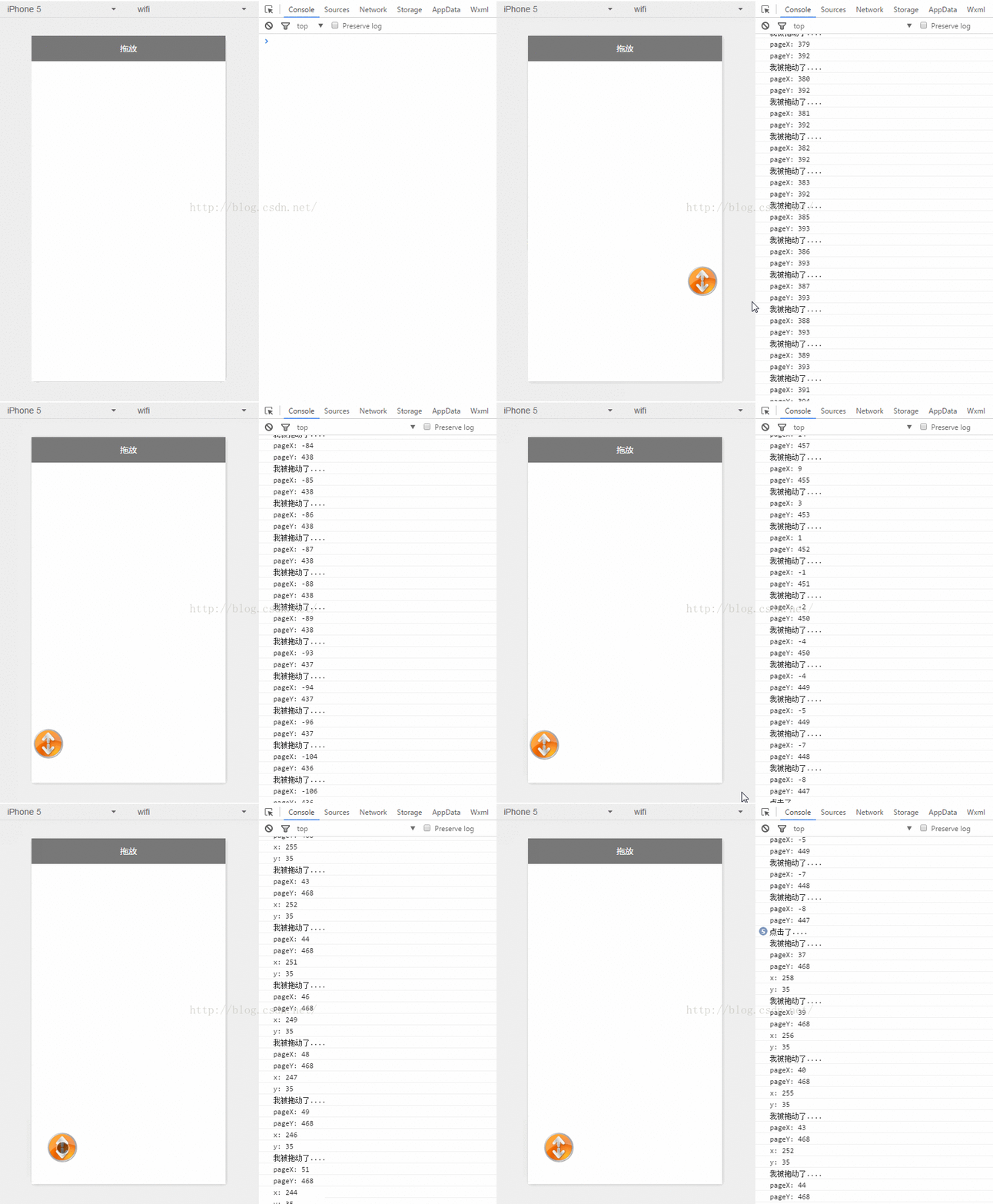
Android中也会有类似移动控件的操作.思路差不多.获取到位移的X Y 的变量,给控件设置坐标.
1.index.wxml
<image>
</image>
登录后复制
简单的设置一张图片,添加触摸事件监听.点击事件监听.根据触摸事件获取X Y位移,设置为image的位置
2.index.js
//index.js
//获取应用实例
var app = getApp()
Page({
 data: {
  ballBottom: 240,
  ballRight: 120,
  screenHeight: 0,
  screenWidth: 0,
 },
 onLoad: function () { //获取屏幕宽高
  var _this = this;
  wx.getSystemInfo({
   success: function (res) {
    _this.setData({
     screenHeight: res.windowHeight,
     screenWidth: res.windowWidth,
    });
   }
  });
 },
 ballMoveEvent: function (e) {
  console.log('我被拖动了....')
  var touchs = e.touches[0];
  var pageX = touchs.pageX;
  var pageY = touchs.pageY;
  console.log('pageX: ' + pageX)
  console.log('pageY: ' + pageY)

//防止坐标越界,view宽高的一般
  if (pageX  this.data.screenWidth - 30) return;
  if (this.data.screenHeight - pageY <p></p><p><strong>3.index.wxss</strong><br></p><p>这里需要设置z-index<br></p><p class="jb51code"></p><pre class="brush:css;toolbar:false;">.image-style{
 position: absolute;
 bottom: 240px;
 right: 100px;
 width: 60px;
 height: 60px;
 z-index: 100;
}
登录后复制
以上就是本文的全部内容,希望对大家的学习有所帮助,更多相关内容请关注PHP中文网!
相关推荐:
以上就是微信小程序实现拖拽 image 触摸事件监听的详细内容,更多请关注米云其它相关文章!
